 Movlo
Movlo
Three languages, one tap
Ukrainian, Russian, English. Switch while recording - no need to stop dictating.
Movlo turns your voice into text in Ukrainian, Russian and English. No ads. No subscription. No third-party servers reading your notes.
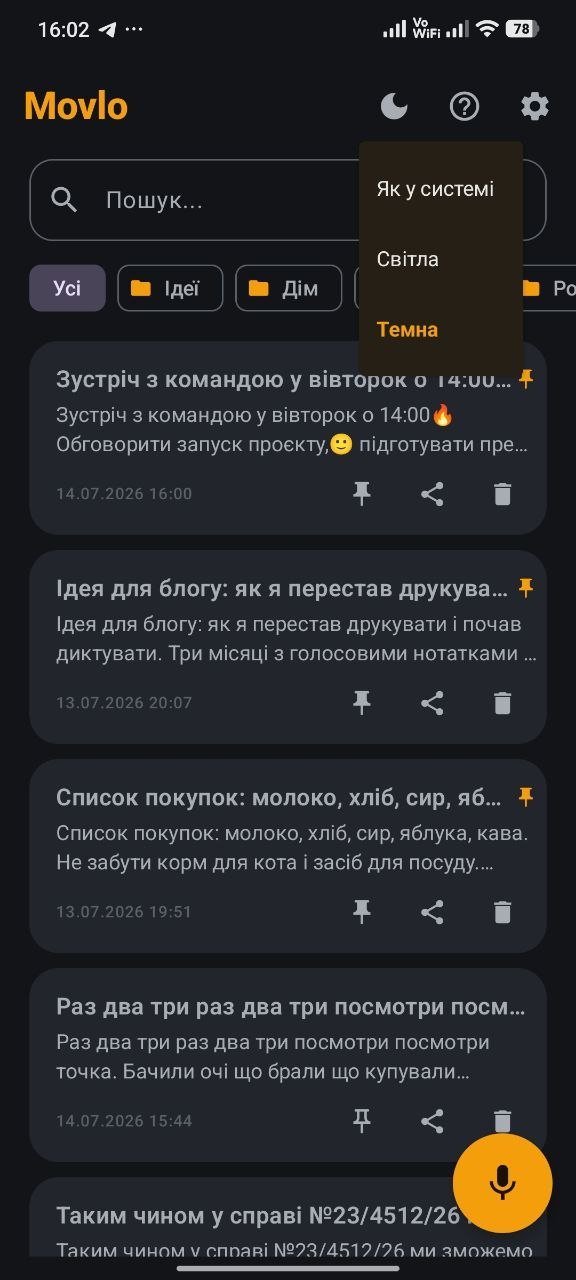
Tap the microphone, allow access and start talking. Your text appears below.
Tap the microphone and speak - your text appears above.
http:// with no padlock, Chrome blocks the microphone outright - the toggle in site settings stays greyed out. That's a browser rule: microphone access is only allowed on a secure connection.This is a simplified demo running on your browser's engine, just to show the idea. Inside Movlo, dictation runs on the Android system engine: more accurate, without cutting off on pauses, with punctuation by voice and notes saved automatically.
A short clip about the situation people turn Movlo on for most often.
The video opens on YouTube in privacy-enhanced mode.
Ukrainian, Russian, English. Switch while recording - no need to stop dictating.
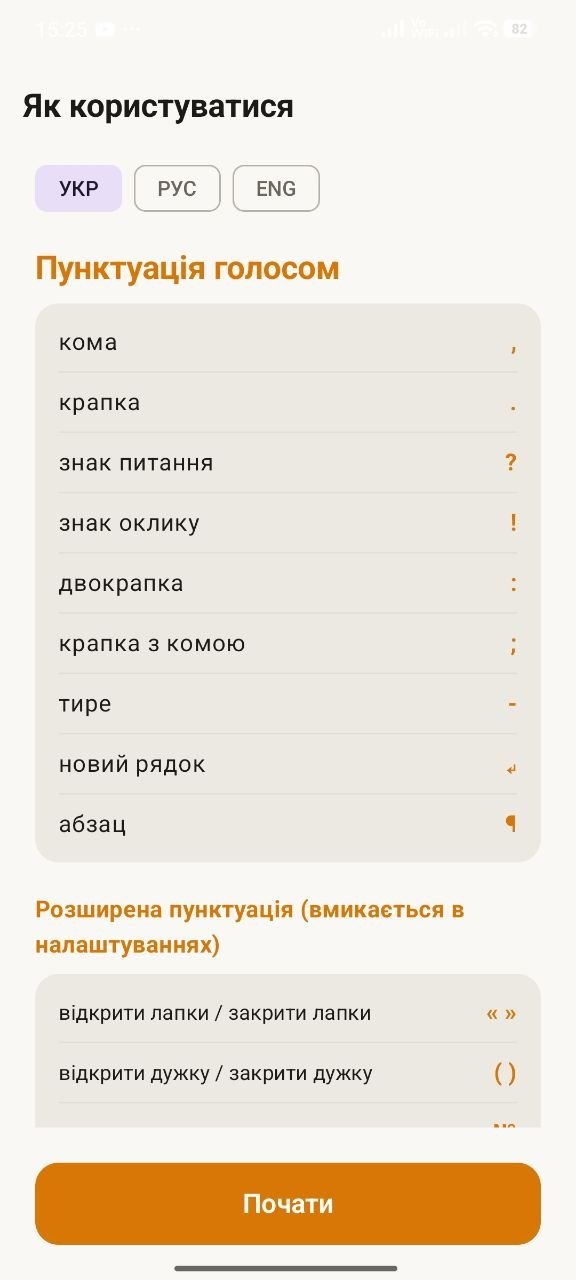
Say «period», «comma», «question mark» - and the symbol lands in your text.
Say «smiley face» and 😊 appears. No hunting through the keyboard.
Recording doesn't stop on pauses. Think out loud, search for the right word - Movlo waits.
You can see the app really hears you - no doubt whether recording is running.
An important note takes a second to find instead of scrolling the whole list.
Recurring recognition mistakes fix themselves - set it once and forget it.
One tap from the home screen and you're already dictating. No extra steps.
Swipe sideways - eight app screens, no retouching.
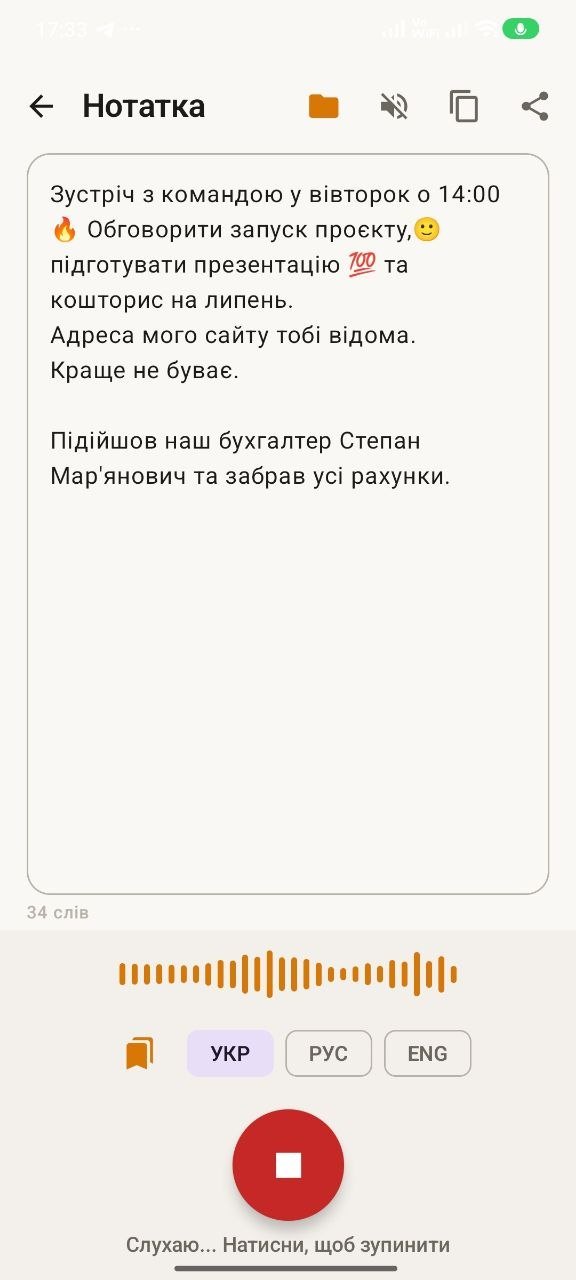
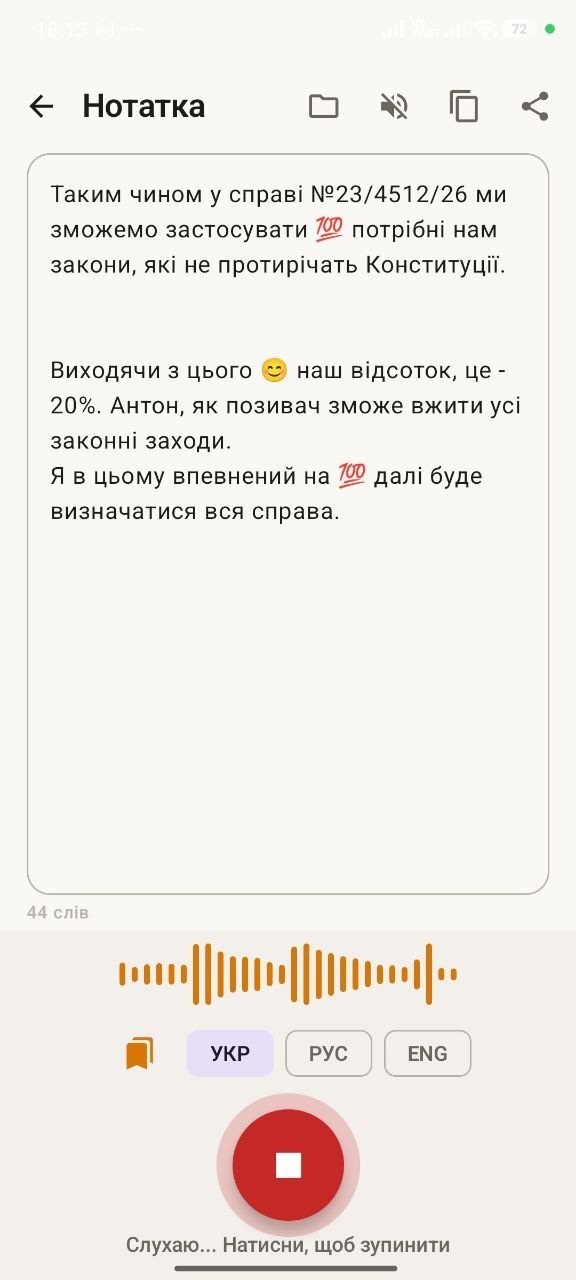
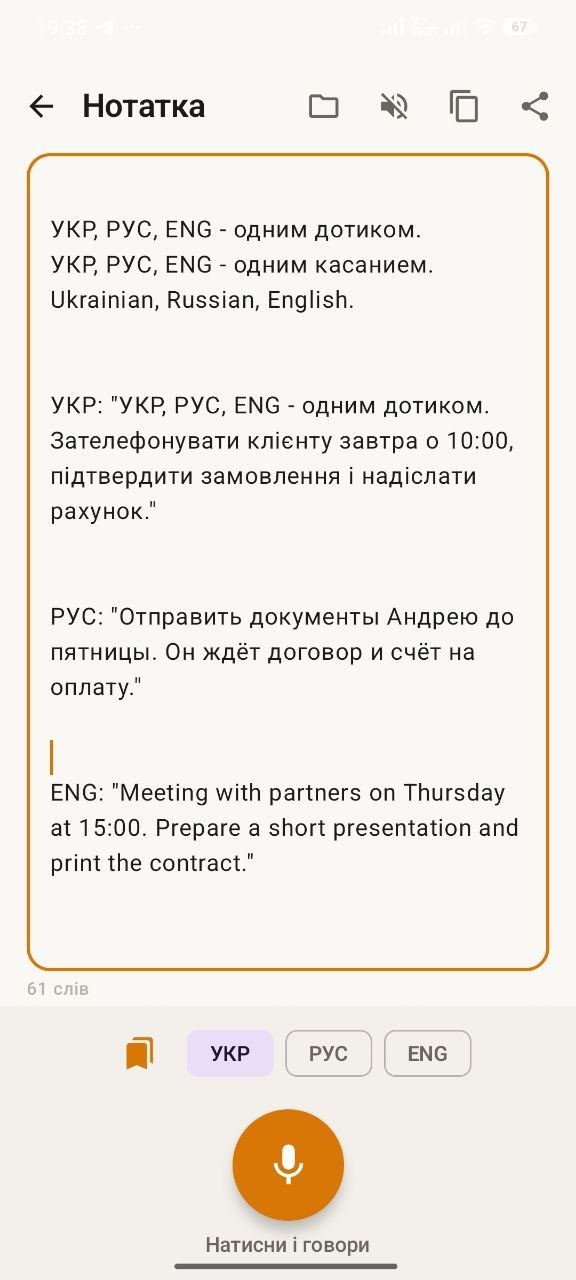
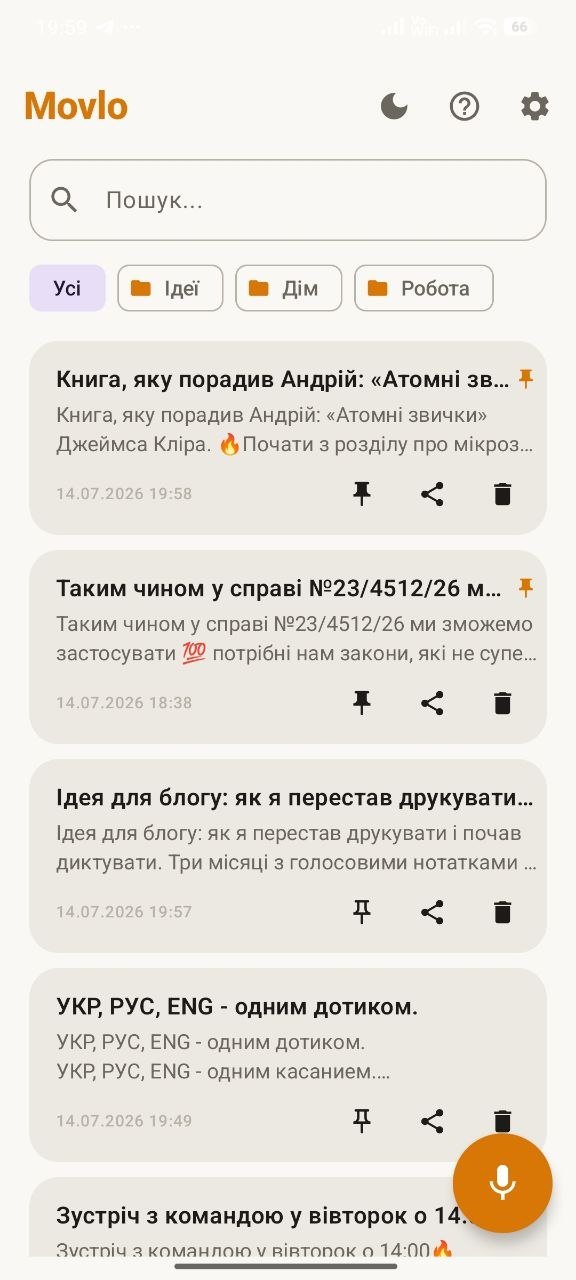
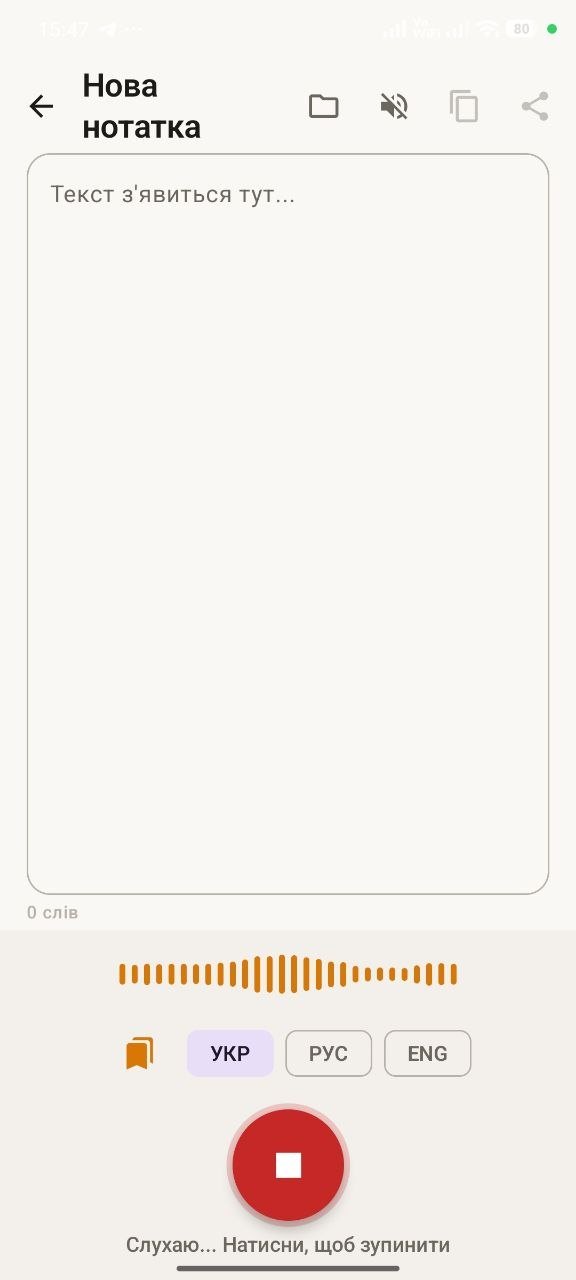
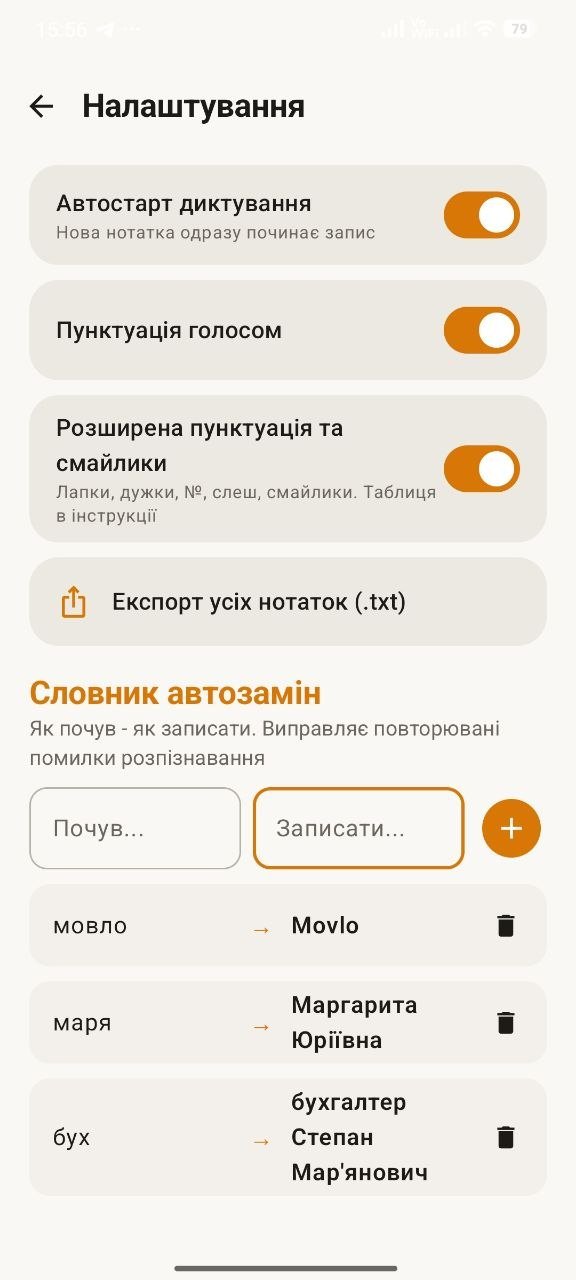
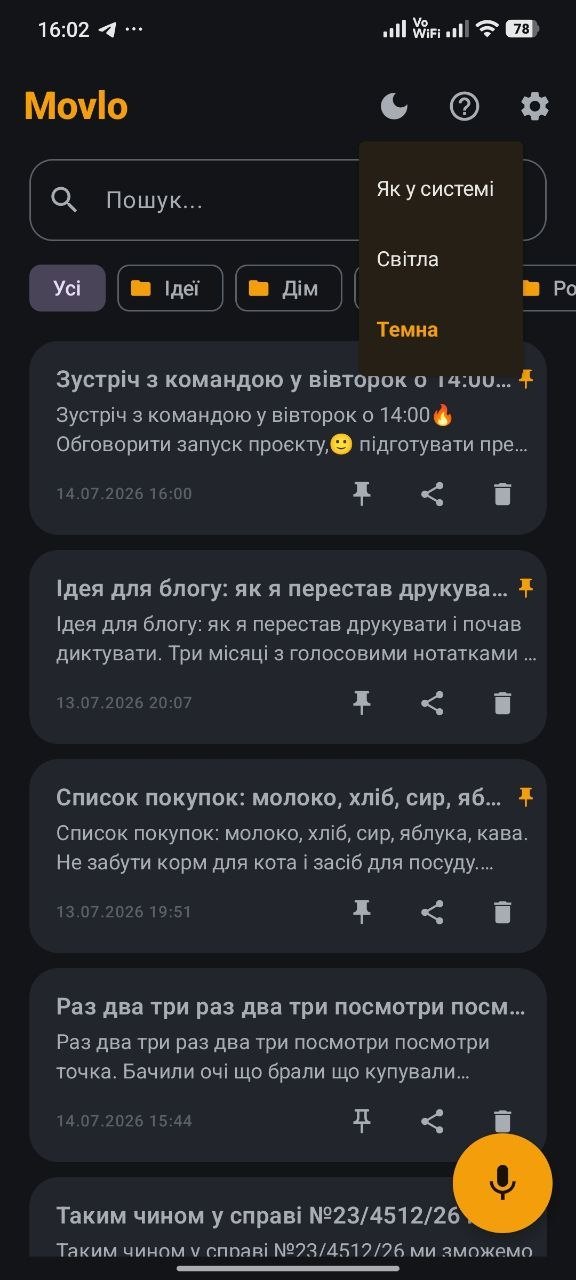
The language switch sits right on the recording screen, under your thumb.
Behind the wheel, in gloves, with wet hands, holding a tape measure - wherever the screen won't respond but it has to be written down now.
About voice input on Android, offline recognition and how Movlo differs from other apps.
The different ways to dictate text on Android, how they differ, and what to look at if you plan to dictate regularly.
Not every dictation app works without a connection. How to enable real offline speech recognition on Android and why it matters.
An honest comparison of Movlo and Voice Notebook for voice-to-text dictation on Android: languages, offline mode, punctuation by voice, user data.
Yes, if you download the offline language pack in your system settings first: Phone settings → Language and input → Voice input → Google → Offline speech recognition. After that dictation works with no network connection.
Yes. Every feature of Movlo is currently available for free, with no ads and no subscription.
No. Notes are stored on the device itself - the app has no servers of its own and never sends them anywhere.
Ukrainian, Russian and English. The language switches with one tap while you record, so there's no need to stop dictating.
Gboard is a keyboard: it dictates into someone else's text field and stops recording on pauses. Movlo is a dedicated notes app: recording doesn't break while you think, there's a note list with search, pinning and folders, a voice command table, an auto-replace dictionary and a widget. The speech recognition itself is handled by the Android system engine in both cases.
Just say the name of the mark: «period», «comma», «question mark», «new line». It is inserted into the text automatically. The full list of commands is inside the app, on the «How to use» screen.
The demo uses your browser's own speech recognition. It works in Chrome on desktop and Android, but not in Safari on iPhone or in Firefox - those browsers don't offer it. Another common cause is opening the page over http instead of https: on an insecure connection Chrome blocks the microphone outright and the toggle in site settings stays greyed out. If you're on Chrome over https and nothing happens, the microphone is most likely blocked: click the padlock icon left of the address bar, allow the microphone and reload the page. None of this affects the Movlo app itself, which doesn't depend on a browser.
Every Movlo feature is free right now. Download it and they stay yours.